Pick a target — 25 MB for email, 10 MB for Discord — and VideoCompress hits it with 2-pass encoding. Your video never leaves this PC.
✓ Free tier — videos up to 5 minutes, no sign-up. Windows 10/11 · 64-bit
Every platform caps what you can send. VideoCompress lands under the line — on the first try.
VideoCompress does one job: hit the size you pick. It plans bitrate, encodes in 2 passes, and refines if the first result misses the target.
25 MB for email, 10 MB for Discord, or any custom value. Presets included.
MP4, MOV, MKV, WebM, AVI and more. Everything stays on this machine.
Instant-play MP4 output, quality auto-matched to your video. Preview the result side by side.
Online converters guess. VideoCompress measures — with professional 2-pass encoding and automatic refinement.
Two-pass encoding measures your video first, then spends the bits. If the result drifts from your target, it re-encodes to correct — within ±2% on typical content.
Compression runs entirely on this PC with FFmpeg. No queue, no file size cap from a server, no one watching your footage. Off-plane? It still works.
Compatibility (H.264), Balanced (GPU-accelerated when available), and Minimal size (AV1). Auto-tuned to your hardware — NVIDIA, AMD and Intel encoders detected at startup.
The free version compresses full-quality videos up to 5 minutes — the same engine buyers get. Unlock unlimited length for $14.9 once. No subscription.
"Free online" tools upload your footage to someone else's server. Here's the honest comparison.
| Online converters | VideoCompress | |
|---|---|---|
| Your video leaves the PC | Yes — uploaded to their server | Never — 100% local |
| Hit an exact target size | Estimate only, often misses | 2-pass + auto refinement |
| File size cap | Server limits (often 100-500 MB) | None — your disk is the limit |
| Queue waits | Yes, shared servers | No — your machine, full speed |
| Works offline | No | Yes |
| Watermarks / ads | Common | None, ever |
Try it free. Buy once, use forever — including all 1.x updates.
14-day money-back guarantee — email support, no questions asked.
Everything people ask before hitting Download.
Two-pass encoding: the first pass analyzes your video and builds a rate plan, the second spends exactly that budget. If the output still drifts from your target, VideoCompress automatically re-encodes with a corrected plan — up to two refinements.
No. All processing happens on your PC using the bundled FFmpeg engine. The app works with no internet connection at all — the network is only used for optional license activation.
Input: MP4, MOV, MKV, WebM, AVI, TS and more — including 4K, 10-bit and vertical phone videos. Output is instant-play MP4 (H.264, H.265 or AV1 video + AAC audio).
Yes, when available. VideoCompress detects NVIDIA (NVENC), AMD (AMF) and Intel (QSV) encoders at startup and routes to the best one. Without a GPU it falls back to a high-quality software encoder automatically.
The app isn't code-signed yet (a paid certificate is planned). Click "More info" → "Run anyway". The installer and app are identical to what you download from this site — you can verify by re-downloading and comparing.
The full engine with no watermarks, for videos up to 5 minutes. One video at a time. The $14.9 Pro license lifts the duration limit and is a one-time payment — not a subscription.
Windows 10/11 (64-bit) is the current focus. macOS is on the roadmap.
Email [email protected] within 14 days of purchase and you get a full refund — processed through Creem, our payment provider. No questions asked. (There is no subscription to cancel: the $14.9 is a one-time payment.)
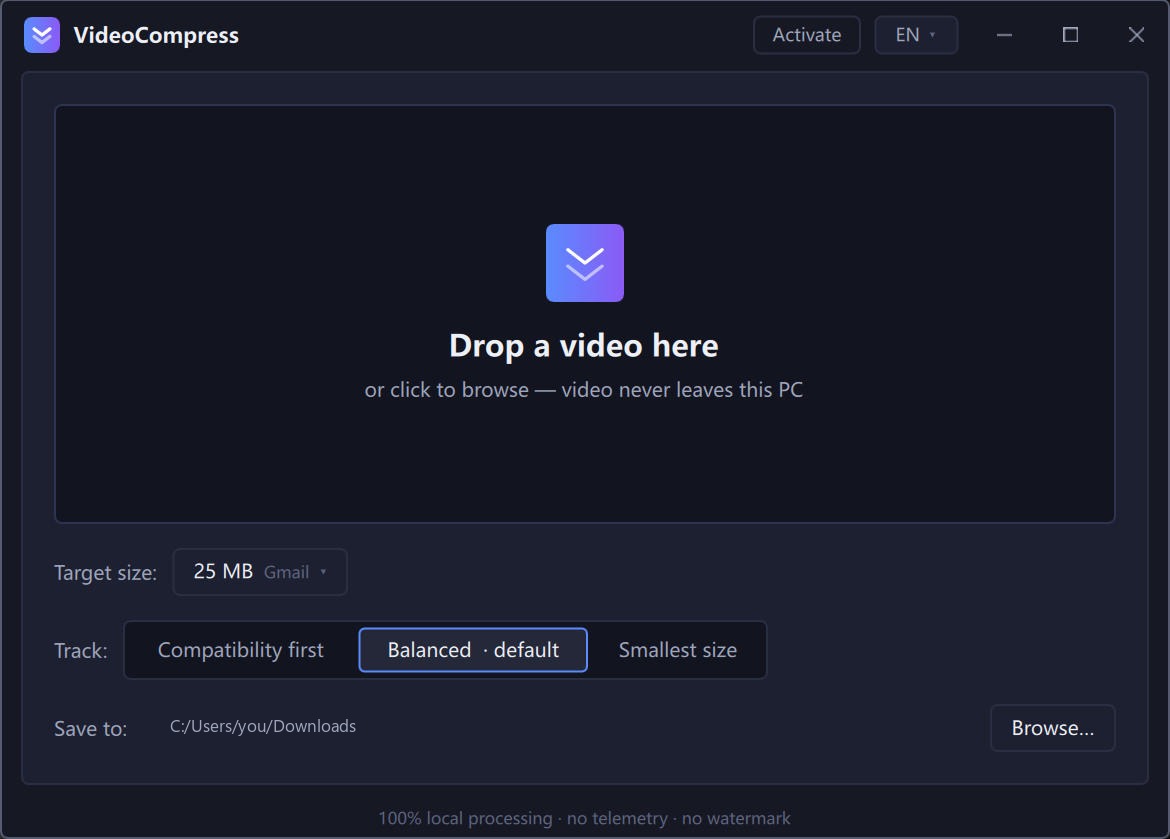
Pick the size. Drop the video. Get the file. Free for videos up to 5 minutes.
Installer = recommended: start-menu shortcut, clean uninstall.
Portable = single folder, no admin rights needed.
Windows 10/11 · 64-bit · v0.1.0 · both builds are identical inside